In vibrant online communities such as Discord servers and esports groups, your Profile Picture (PFP) is your digital signature—a visual hallmark that helps people recognize you instantly. But what if you like to switch up your avatar frequently? Whether you’re an illustrator experimenting with styles, a gamer changing themes with seasons, or just someone who enjoys fresh looks, frequent PFP updates can affect how effortlessly others identify you.
This post shares practical advice on maintaining recognition and consistency when you change your PFP often. We’ll focus on key principles such as silhouette recognition, mobile-first readability, contrast and separation, and face & expression clarity. Plus, we’ll explore how tools like Discord influence these design decisions.
Why Consistency Matters in Your PFP
Imagine scrolling through a busy Discord channel on your phone. Messages and avatars flood your screen. The ability to instantly spot familiar faces depends on how quickly and clearly you can recognize their PFPs—often displayed as just 32x32 or 64x64 pixel circles.
When you change your PFP regularly without any anchor points—like a consistent silhouette or color scheme—it can confuse friends, moderators, and even new acquaintances. They might hesitate or fail to catch your identity, impacting communication and your presence within the community.
Here are core concepts that bridge the gap between variety and recognizability in your PFPs:
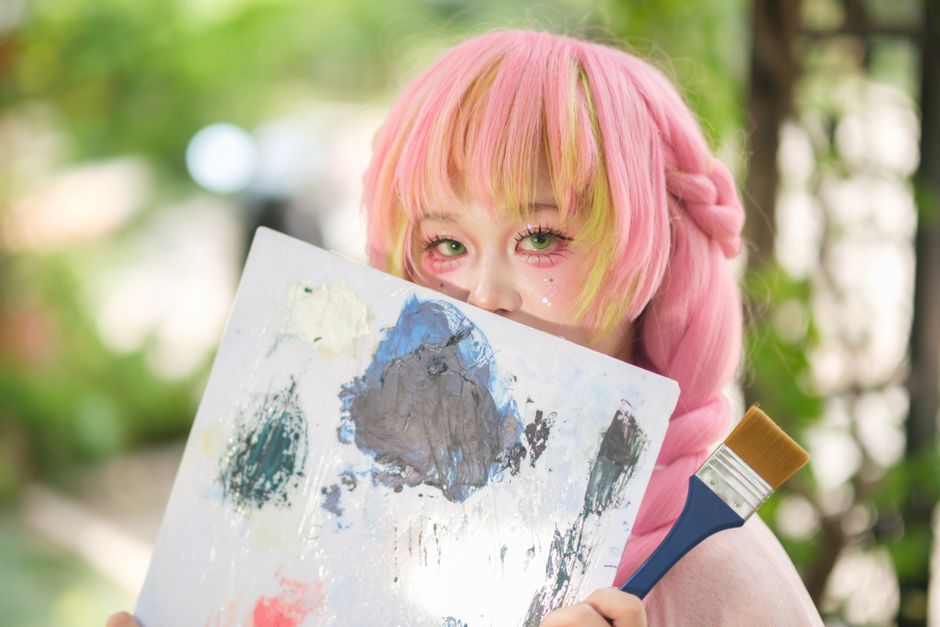
- Consistent Character: Use a recurring character or theme that people associate with you. Repeat Silhouette: Maintain a similar overall shape or outline for quick recognition. Stable Color Treatment: Stick to a familiar palette or color accent to build visual anchors.
The Importance of Silhouette Recognition
The silhouette is your avatar’s overall shape and profile—its “shadow” when viewed without detail. Humans process shapes rapidly, allowing us to identify familiar icons and logos with blinding speed.
How to Maintain a Repeat Silhouette
Since your Discord PFP is displayed inside a circular crop, the silhouette typically appears as a circle or an enclosed shape within that circle. Here’s what I recommend:
icon safe area Design with circle crop in mind: Crop your PFP using a circle preview, not squares, so the silhouette works when clipped. Keep consistent positioning: Place recurring visual elements—like your character’s head, helmet, or unique accessories—in roughly the same position. Use distinct shapes: Avoid complex or busy contours that lose clarity when shrunk to small sizes.For example, if you have a mascot or in-game character as your base avatar, always keep its head at center-frame with recognizable ears, horns, or hats creating a repeat silhouette—even if your style or colors vary.
Mobile-First Readability
Discord sees a large volume of users on mobile devices where PFPs are extremely small. This makes clarity a top priority for any avatar you upload.
Tips for Mobile-Optimized Avatars
- Limit fine details: Tiny text, intricate patterns, or subtle facial lines vanish at 32px–64px scales. Bold, simple shapes: Characters with clear separation between limbs, heads, and background elements read better. Test at small sizes: Always preview your PFP on mobile Discord before finalizing. An avatar that looks amazing full-size can become noise on a phone. Use an avatar preview tool: Some illustration software and Discord bot utilities let you preview how your PFP looks on light and dark modes—and resized to tiny pixel grids.
Given this, you should avoid relying on small text incorporated into the avatar. Instead, explore distinct shapes, simple saturated color blocks, and minimal shading to give your PFP "pop".
Contrast and Separation: The Key to Visual Hierarchy
Contrast between the foreground (your character or icon) and the background is one of the strongest ways to keep your avatars distinguishable.
How to Maximize Contrast Effectively
Technique Explanation Example Use Opposite Colors Place your character against a background color that contrasts clearly with your character's main colors. Dark red figure on a light beige background. Add a Border or Outline A crisp, often white or black outline that separates figure from background especially for dark-on-dark areas. Black spikes bordered in white to stand out against dark gray. Keep Background Simple Minimize detailed or noisy backgrounds which blend with foreground, causing visual confusion. Plain gradient or single-color backgrounds preferred over busy landscapes.Generally, high contrast is your avatar’s best friend, especially when your avatar changes frequently, because it creates immediate visual “pull” so viewers can spot you quickly.
Face and Expression Clarity
Faces are powerful recognition tools, but they can quickly become unreadable at Discord's PFP scale. To keep expression clarity:
- Keep faces large in frame: Avoid cropping tightly so that at least a 60-70% zoom of the character’s face fits comfortably. Use simple, bold eyes and mouth shapes: Eyes are the focal points; shape matters more than detail. Also, sharp and simple lines read better than subtle gradients. Emphasize facial expression: Exaggerated smiles, frowns, or distinctive eye shapes boost personality recognition. Test on both light and dark backgrounds: Expressions and faces can visually "disappear" in some Discord themes without proper contrast.
Consistency in facial style—whether it’s cartoonish, realistic, or abstract—is also important if you switch avatars often. Avoid wildly different face proportions or eye styles from one avatar to another if you want to keep people instantly recognizing you.
Applying These Principles on Discord
Discord is a unique platform because it shows user avatars across multiple contexts:
- Server lists where PFPs appear very small. Chat windows with medium-sized avatars. Pop-out profiles where you see full-size images.
Given that, your avatar needs to work seamlessly across all scales and interfaces:
Upload high-resolution images: To avoid pixelation when Discord resizes your image. Preview on all Discord themes: Both light and dark modes, mobile and desktop. Keep an image folder of your stable silhouette and color treatments: This acts like your visual style guide and helps maintain consistent identity.Bonus Tips: Building a “Consistent Character” Brand
Building a consistent character—whether a personalized mascot, an original icon, or a stylized self-portrait—helps lock in recognition, even if you tweak details frequently.
- Choose a symbolic character: A creature, avatar, or figure with signature elements (hat, colors, glasses). Use a stable color palette: Even if expressions change or accessories come and go, the core colors (like a neon blue accent or specific red) stay constant. Create multiple avatar versions: For example, seasonal variants with the same silhouette and colors but different hats or backgrounds. Leverage consistent iconography: Emojis, badges, or motifs linked with your character can be replicated across your server roles and banners.
Summary
Changing your PFP frequently on Discord doesn't mean you have to sacrifice recognizability. By focusing on:
- Silhouette recognition—maintaining a repeat shape; Mobile-first readability—designing for small size and simplifying detail; Contrast and separation—maximizing foreground-background clarity; Face and expression clarity—preserving emotional connection through clear eyes and smiles; and incorporating a consistent character with stable color treatments,
you can keep your identity sharp and instantly readable. Remember to always test your avatar on both light and dark modes on mobile and desktop before calling it done.
With these strategies, your ever-evolving PFPs can become not a source of confusion, but a showcase of creativity and reliable self-expression in your favorite Discord communities.